


Public
自主数据经理
2025-04-11
MCP服务器可提供受控的CRUD访问数据库
0
Github Watches
0
Github Forks
0
Github Stars
AI Autonomous Data Manager MCP
About
The AI Autonomous Data Manager is a specialized data management system designed to give AI agents (like those in Cursor, Cline, or other AI-enabled editors) autonomous control over dynamically structured data collections. It enables AI assistants to maintain persistent memory across conversations, organize information, and manage data without human intervention.
The server was created as an excercise to learn about MCP servers. How useful it is remains to be seen. It is provided as-is under the MIT license.
Key features:
- AI-driven collection creation with automatic schema validation
- Autonomous CRUD operations by AI agents
- Persistent data storage that survives across chat sessions
- Support for both STDIO and SSE (Server-Sent Events) modes
The system empowers AI agents to do things like:
- Build and maintain knowledge bases during conversations
- Track projects and tasks autonomously
- Organize learning content and generate quizzes
- Persist important information for future reference
Viewing and Monitoring Collections
While the AI agents interact with collections programmatically, humans can monitor and inspect the data through:
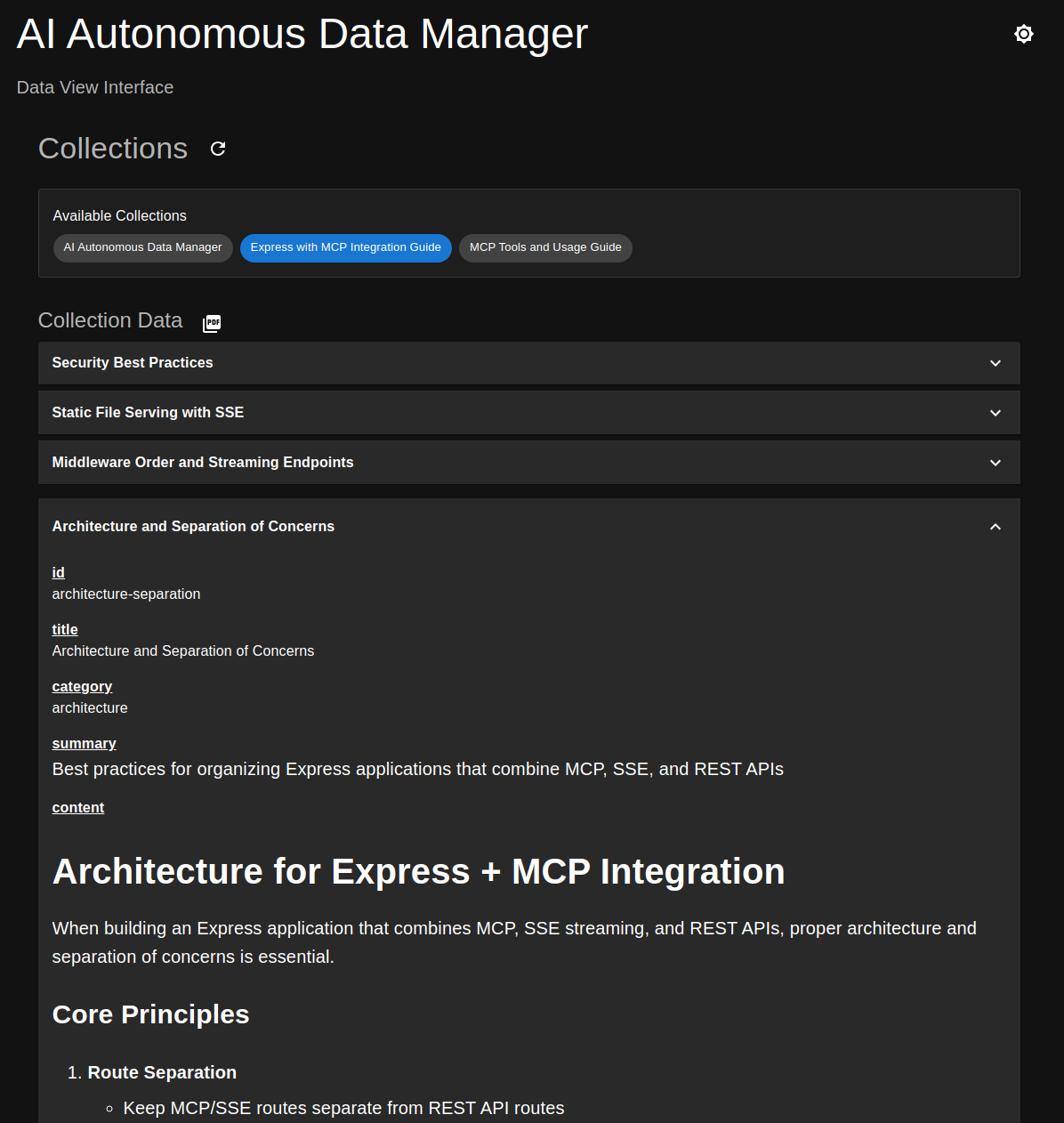
- Through the built-in web interface when running in SSE mode (http://localhost:3001)
- Using the MCP Inspector tool (https://modelcontextprotocol.io/docs/tools/inspector)
- Programmatically via the MCP server API endpoints
To export collections to PDF:
- Access the web interface when running in SSE mode
- Navigate to the desired collection and click the PDF icon
Screenshot of the collections viewer
Getting started
-
Make sure you have Node and NPM installed
- Development was done using Node version 22.14.0, but other versions will probably work
-
Run
npm installto install dependencies
Run in STDIO mode
-
Copy
run-example.shtorun.shand set the correct path (to the repository directory) -
Copy
.env-exampleto.envand modify it if needed (should work as is) -
Start MongoDB using
docker-compose upor use your own Mongo instance- If using your own instance, remember to change exported
MONGO_*andRUN_MODEenvironment variables in therun.shfile accordingly
- If using your own instance, remember to change exported
-
Configure your editor/tool to use the MCP server
Cursor editor example (
mpc.json):{ "mcpServers": { "data_service": { // Same repository path as mentioned above "command": "/<path>/run.sh", "args": [] } } }
Run in SSE mode
Note: Running in SSE mode seems sketchy at times. While it works fine for the MCP Inspector tool. The server has sometimes crashed when Cursor or Cline was the client. So some improvements should be made to make SSE mode a bit sturdier.
-
Start MongoDB using
docker-compose upor use your own Mongo instance- If using your own instance, remember to change exported
MONGO_*andRUN_MODEenvironment variables in the.envfile accordingly
- If using your own instance, remember to change exported
-
Start the server:
npm start -
Configure your editor/tool to use the MCP server
Cursor editor example (
mpc.json):{ "mcpServers": { "data_service": { "url": "http://localhost:3001/sse", } } }
Available resources
-
data://server-descriptionServer Description: Description of the data service and its use cases. If you are an AI, fetch and read this first!
-
data://collectionsMetadata about available collections (see schema attribute)
Available tools
- add_collection_type
- add_batch_to_collection
- get_from_collection
- delete_from_collection
- collection_summary
- get_resource_data
Details to be added later
相关推荐


I craft unique cereal names, stories, and ridiculously cute Cereal Baby images.


Evaluator for marketplace product descriptions, checks for relevancy and keyword stuffing.

Confidential guide on numerology and astrology, based of GG33 Public information


Emulating Dr. Jordan B. Peterson's style in providing life advice and insights.
Your go-to expert in the Rust ecosystem, specializing in precise code interpretation, up-to-date crate version checking, and in-depth source code analysis. I offer accurate, context-aware insights for all your Rust programming questions.


Reviews
2
(1)

user_110aeRaj
2025-04-17
I've been using Byskov-Soft's Autonomous Data Manager and it's simply fantastic! It automates data management tasks seamlessly, saving me a lot of time and effort. The user-friendly interface and robust functionality are the highlights for me. Highly recommend checking it out on GitHub if you're looking to streamline your data processes!